
我们在 win7 系统里,使用久了系统也会变慢,导致电脑慢的原因是有多的,但又中方法可以让电脑提升 50 倍,这个方法有很多用户都不知道,那么 win7 电脑怎样提速呢,方法很简单不难,下面小编给大家分享 win7 电脑提速 50 倍的方法。
解决方法:
1、用电脑新建一个 TXT 格式的记事本文件,输入如下的代码:
@echo off
echo 正在清除系统垃圾文件,请稍等......
del /f /s /q %systemdrive%\*.tmp
del /f /s /q %systemdrive%\*._mp
del /f /s /q %systemdrive%\*.log
del /f /s /q %systemdrive%\*.gid
del /f /s /q %systemdrive%\*.chk
del /f /s /q %systemdrive%\*.old
del /f /s /q %systemdrive%\recycled\*.*
del /f /s /q %windir%\*.bak
del /f /s /q %windir%\prefetch\*.*
rd /s /q %windir%\temp & md %windir%\temp
del /f /q %userprofile%\cookies\*.*
del /f /q %userprofile%\recent\*.*
del /f /s /q "%userprofile%\Local Settings\Temporary Internet Files\*.*"
del /f /s /q "%userprofile%\Local Settings\Temp\*.*"
del /f /s /q "%userprofile%\recent\*.*"
echo 清除系统 LJ 完成!
echo. & pause

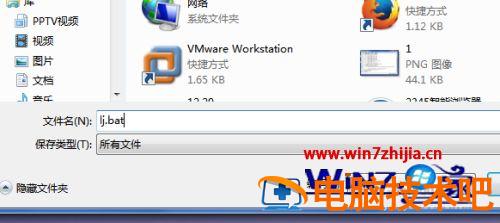
2、复制完成后,点“另存为”,路径选“桌面”,保存类型为“所有文件”,文件名为“LJ.bat”,就完成了。
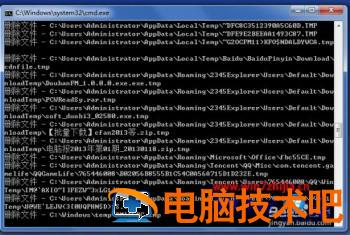
3、这时候桌面上就有有个 BAT 为后缀名的运行成熟双击它就能很快地清理垃圾文件,大约需要 30 秒钟,你的电脑就可以提速 50%。
以上就是 win7 电脑提速 50 倍的方法,有想让电脑提升速度的,可以按上面的方法来进行操作。